
How to Check Out with Multiple Addresses
Sending wreaths to several people? No problem — you can assign a different shipping address to every wreath in a single order. Here's exactly how it works.
Add your gift message on the product page
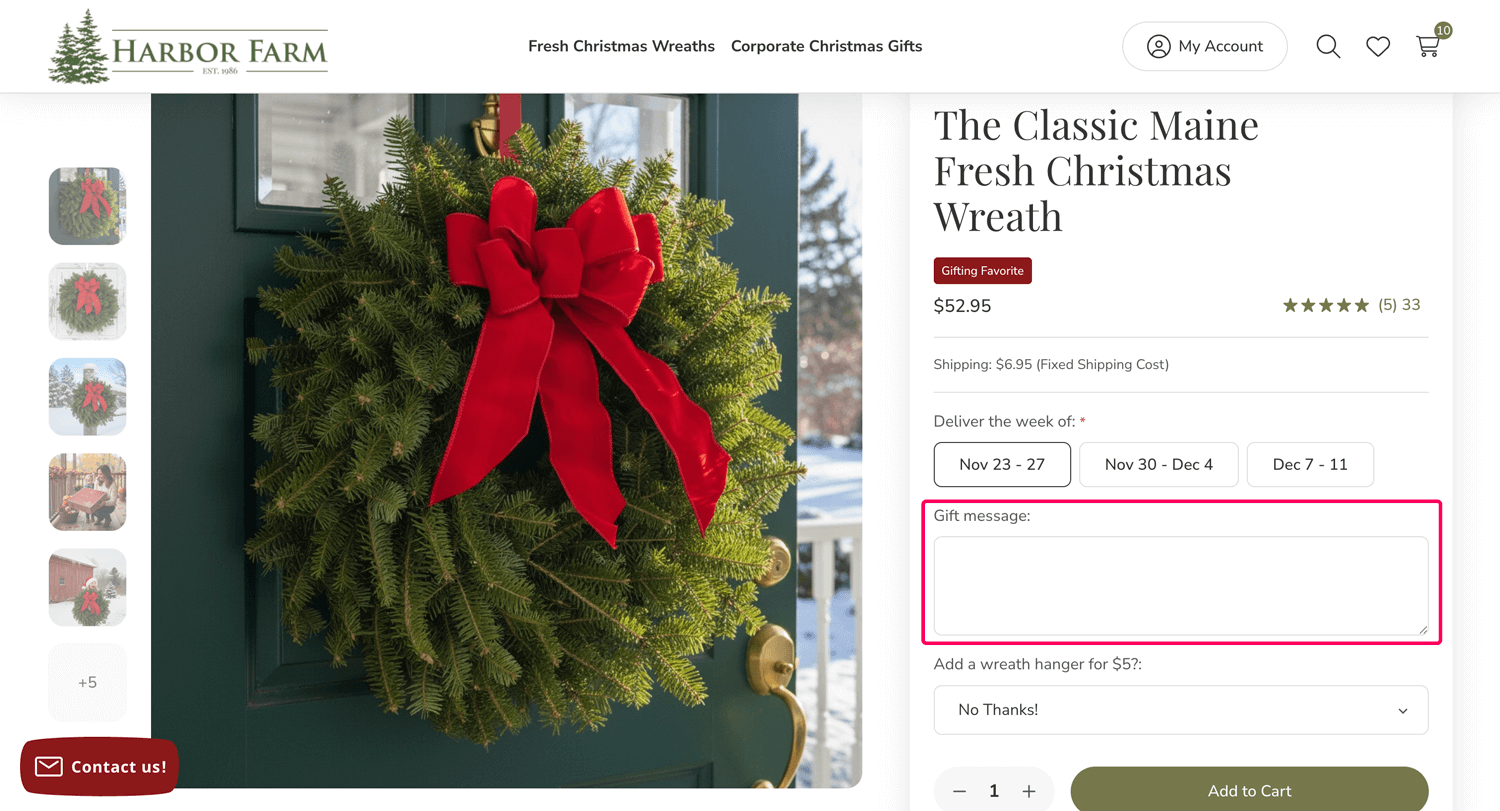
Add your gift message on the product page in the Gift message field.
Sending the same wreath with the same message? Enter your message once, set your total quantity, and add to cart. Every wreath will carry the same note.
Sending unique messages? Enter the message for the first person, add to cart, then return to the product page to repeat for each recipient.
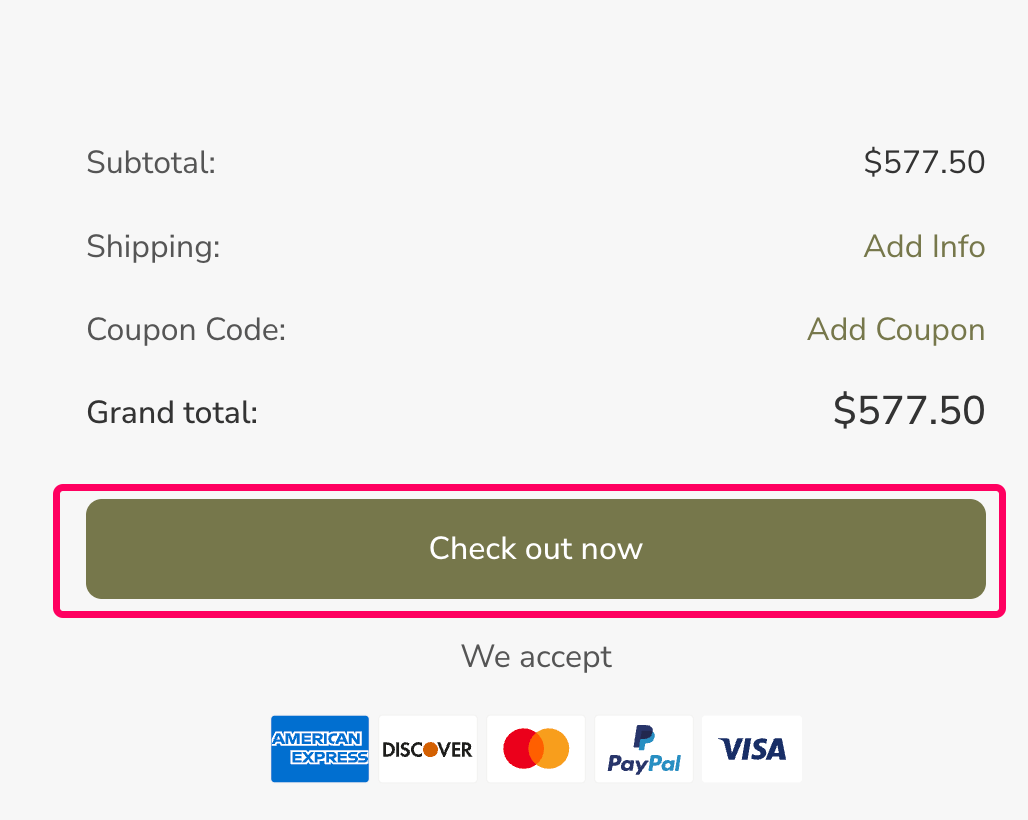
Click "Check out now" from your cart
When you're ready, visit your cart and click the Check out now button. Note that the multiple addresses option only appears on the following shipping screen.
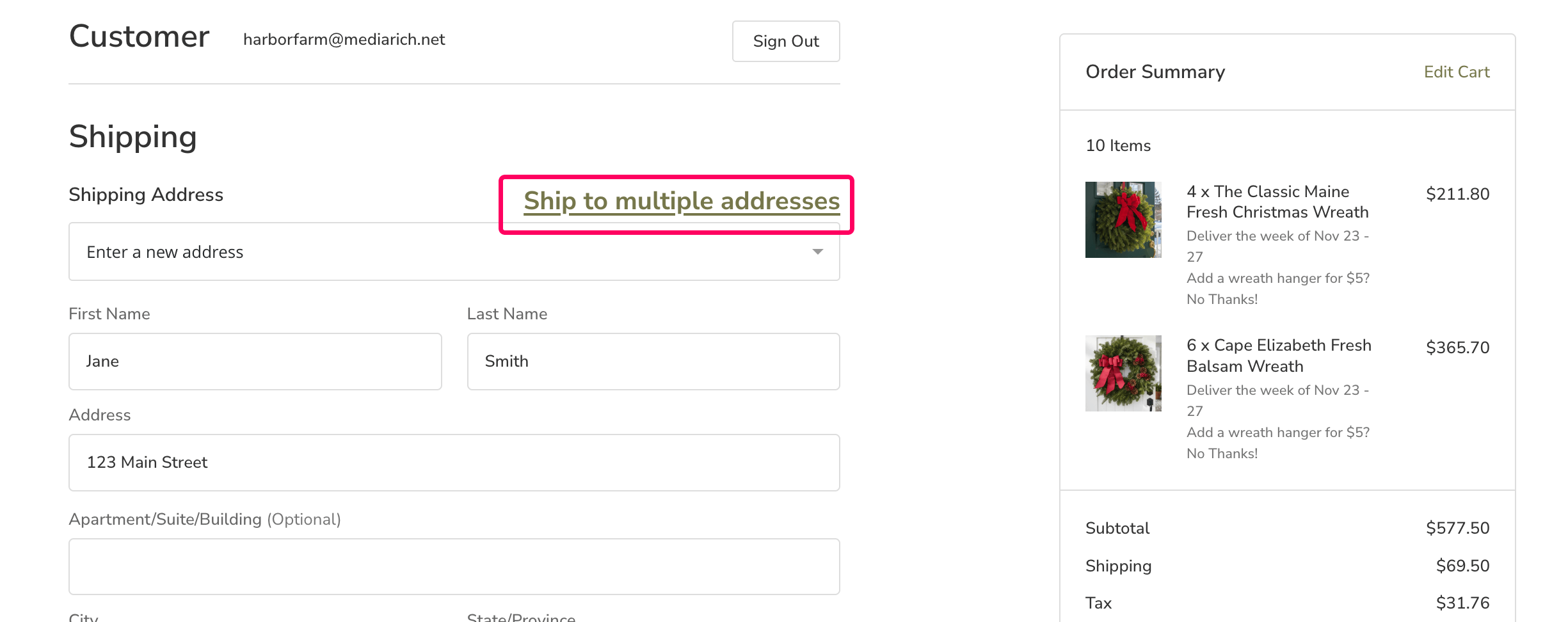
Click "Ship to multiple addresses"
On the checkout page, under the Shipping section, you'll see the "Ship to multiple addresses" link. This is the key step that unlocks separate delivery selection for each wreath.
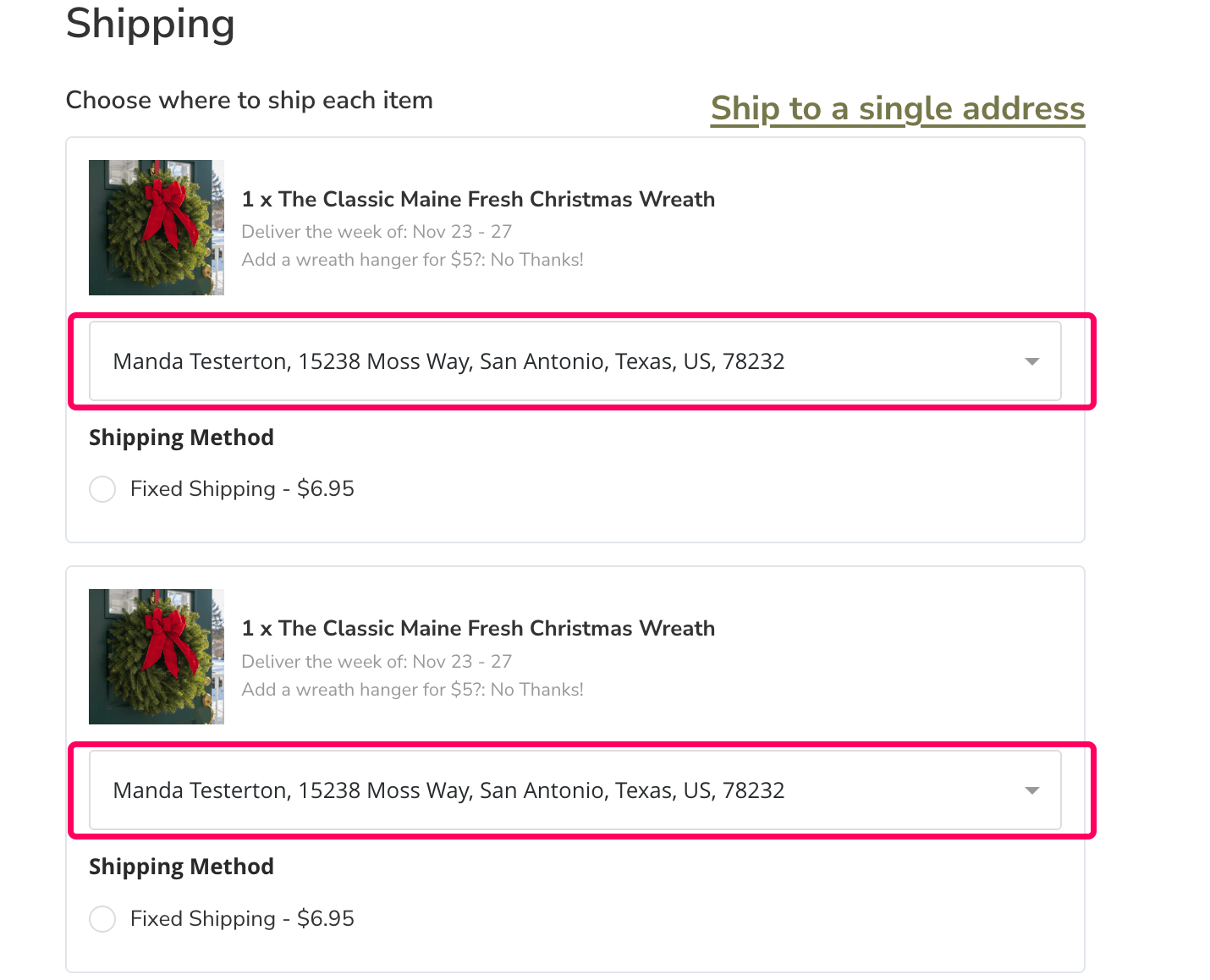
Choose an address for each wreath
Each wreath in your order will now show its own address dropdown. Simply select or enter a shipping address for each recipient and you're all set.
Don't see your saved addresses? You must be signed in to your account for your address book to appear. If you are a new customer, creating an account is the easiest way to manage multiple addresses.
Rather have us place the order for you?
For larger orders or personal assistance, give us a call — we are happy to take your order over the phone. It is fast, easy, and we will ensure every gift goes to the right door.
📞 1-855-770-7193 · orders@harborfarm.com
Available today from 9 a.m. – 5 p.m.